You can cancel your subscription via your user dashboard. Please log in to your account at: https://courses.planetizen.com/
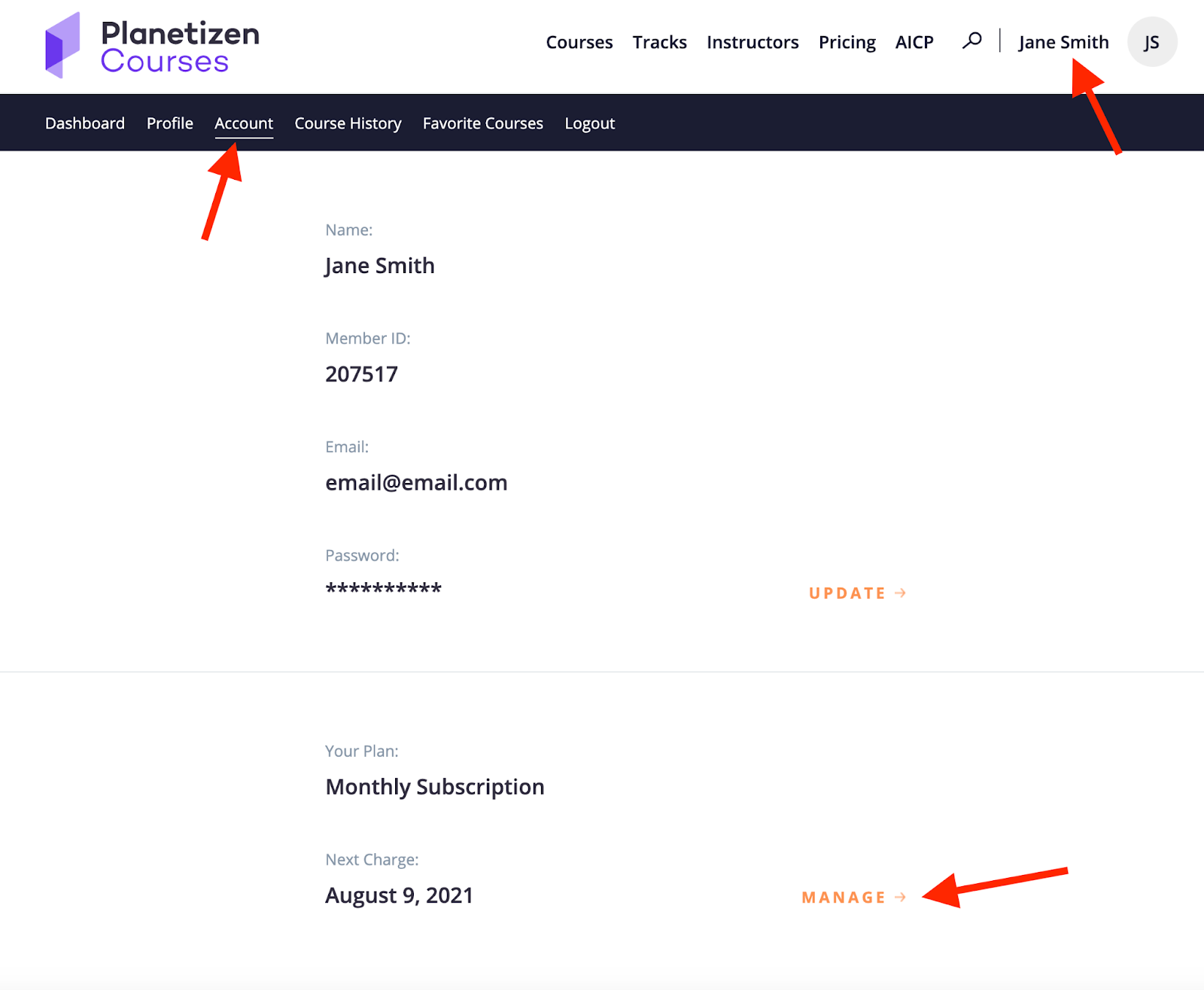
Then click on your name on the upper right hand corner, click on “Account” and then choose “Manage”.
Choose “Cancel Your Subscription”
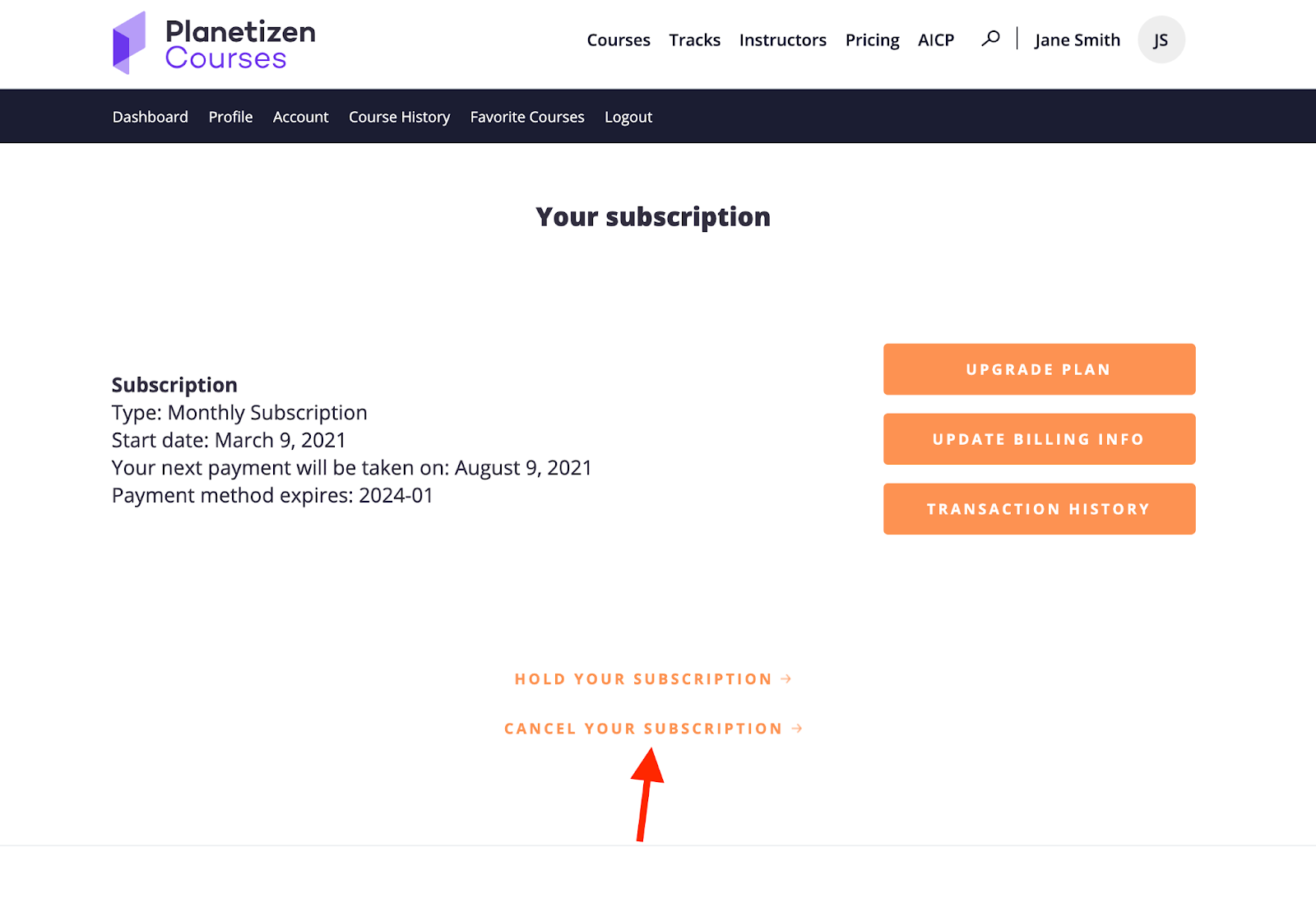
Be sure to complete all cancellation steps. You must click “Continue to Cancel” all the way through the process.
Hope to see you again in the future! Have a great day!
Was this article helpful?
That’s Great!
Thank you for your feedback
Sorry! We couldn't be helpful
Thank you for your feedback
Feedback sent
We appreciate your effort and will try to fix the article