You can view all receipts via your user dashboard.
1. Login at https://courses.planetizen.com/
2. Click on your name in the upper right hand corner and then click “Account”
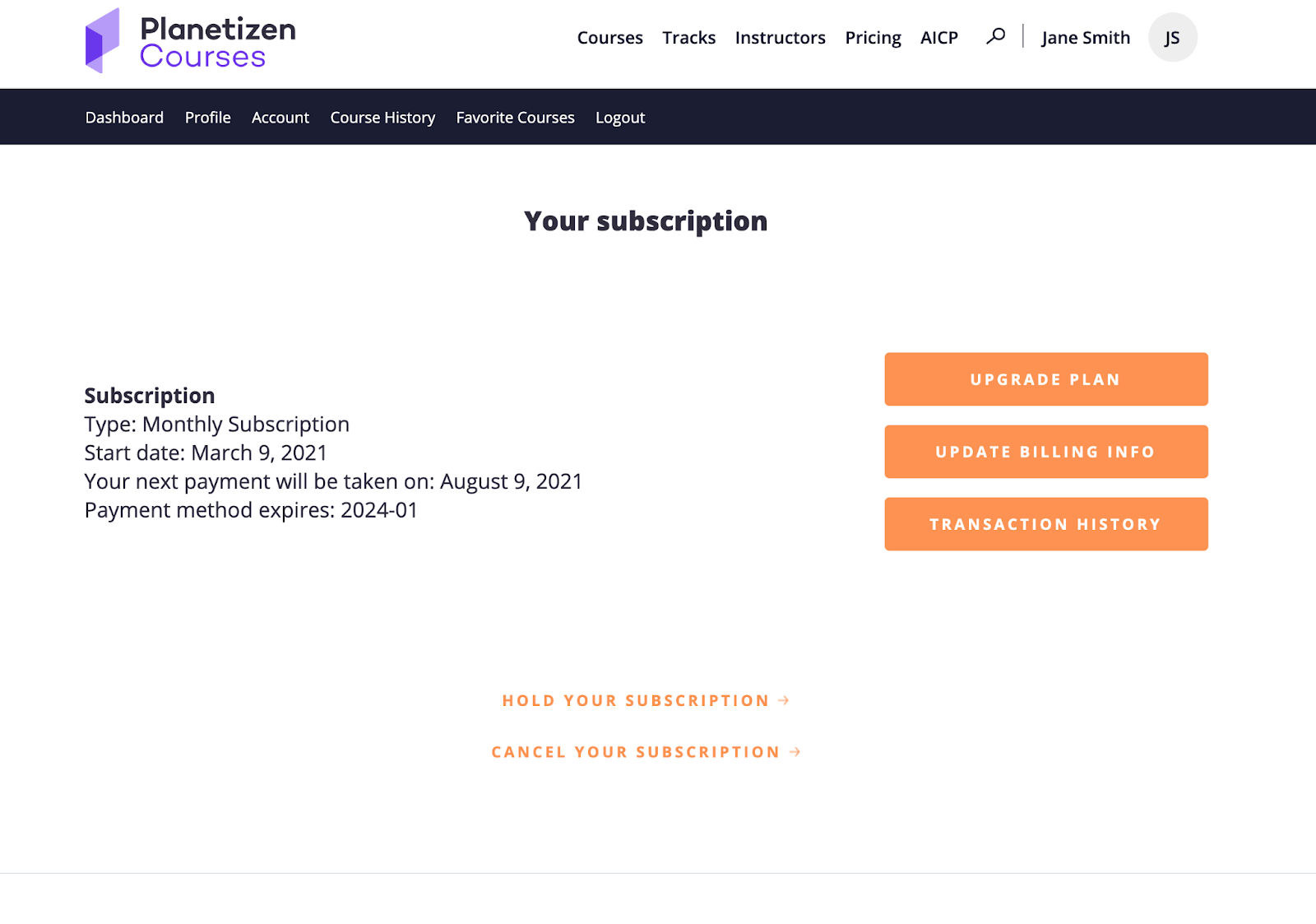
3. Click on “Manage"
4. Choose “Transaction History"
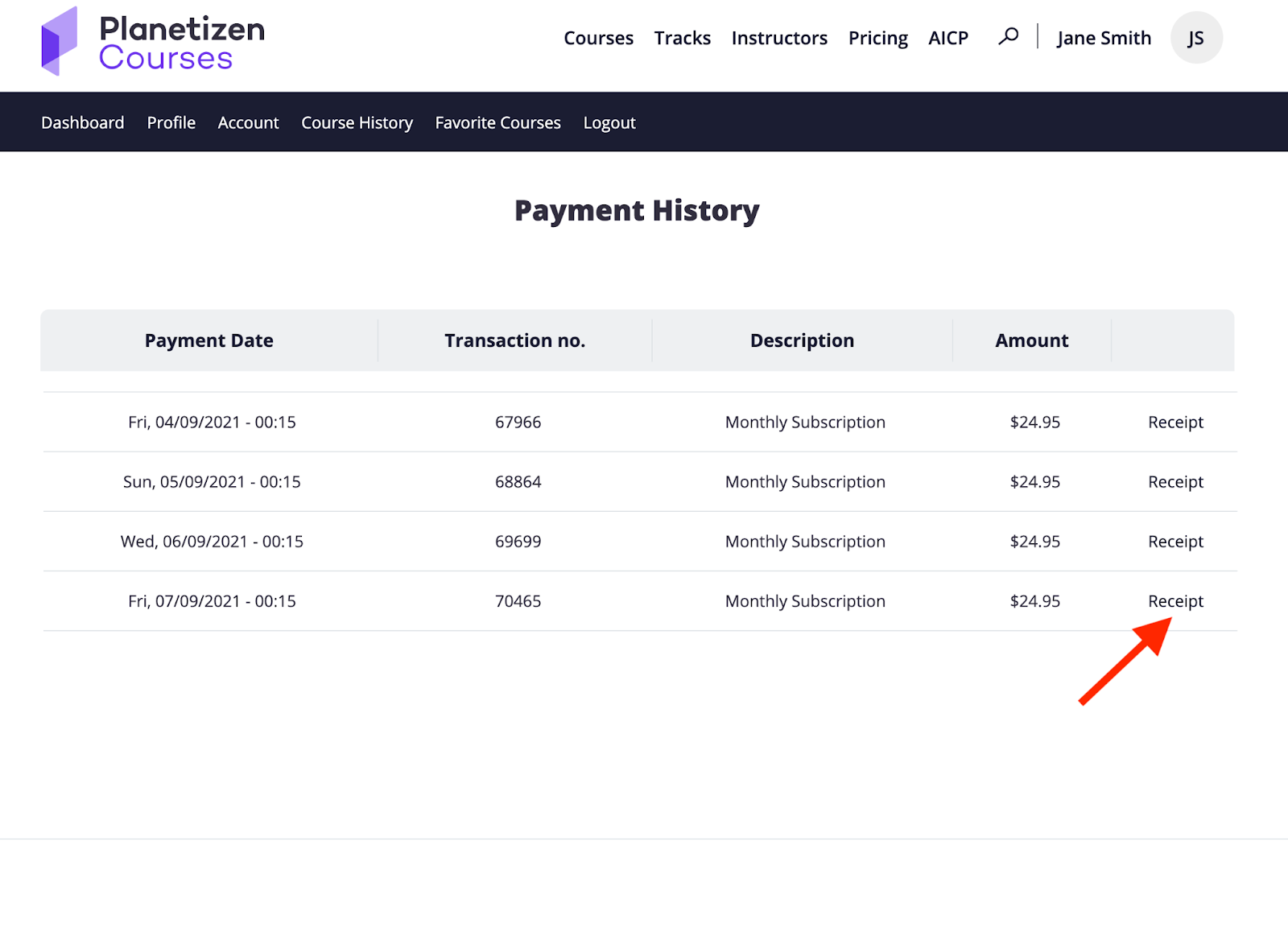
5. Click on the individual receipt you’d like to view.
Was this article helpful?
That’s Great!
Thank you for your feedback
Sorry! We couldn't be helpful
Thank you for your feedback
Feedback sent
We appreciate your effort and will try to fix the article